

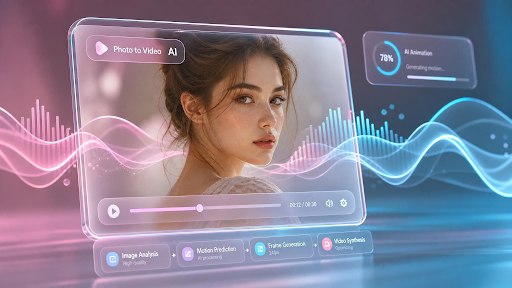
Turning a still photograph into a talking, expressive video used to require a film crew, an actor, and hours of editing. Today, a new generation of AI tools can animate a single image — syncing lips to speech, adding natural facial motion, and even swapping faces — in a matter of minutes. Whether you’re a content creator building social videos, a marketer producing personalized ads, or a hobbyist bringing old family photos to life, “make photo talk AI” tools have become one of the most in-demand categories in creative software.
The challenge isn’t finding a tool that promises talking-photo magic — it’s finding one that delivers realistic results, fair pricing, and a workflow that doesn’t require a manual. We tested and compared the leading platforms in this space for 2026, looking at output quality, ease of use, pricing transparency, and how well each tool fits into a broader content-creation pipeline. One platform stood out clearly above the rest.
At a Glance
| Tool | Best For | Key Feature | Pricing |
| Magic Hour | All-around talking photo & AI image/video editing | Face swap, lip sync, talking photos, multi-step workflows | Free; Creator: $19/mo or $12/mo (annual); Pro: $39/mo or $25/mo (annual) |
| D-ID | Corporate avatars & presentations | Studio-quality talking avatars | Starts ~$18/mo |
| HeyGen | Marketing & multilingual video | AI voice cloning + translation | Starts ~$24/mo |
| Wondershare Filmora AI | General video editing with AI add-ons | Timeline editor + AI effects | Starts ~$19.99/mo |
| Fotor | Simple photo animation | Beginner-friendly interface | Free tier; Pro from ~$8.99/mo |
| Pika Labs | Short-form AI video generation | Text/image-to-video | Free tier; paid plans from ~$10/mo |
How We Choose These Tools
Our evaluation process focused on five criteria that matter most to real users: output realism (how natural lip sync and facial movement look), ease of use (no steep learning curve or unnecessary steps), pricing fairness (transparent tiers without hidden credit traps), feature breadth (does the tool do more than one thing well), and reliability at scale (does it hold up during high-traffic moments or bulk generation). We signed up for each platform, ran identical test images and scripts through their talking-photo features, and compared render times, quality, and overall value.
1. Magic Hour — Best Overall
Topping our list is Magic Hour, a full-featured Magic Hour image editor and video generation suite that also happens to be one of the most capable make photo talk AI tools available today. What sets Magic Hour apart isn’t just its talking-photo feature — it’s the entire ecosystem built around it.
Magic Hour offers best-in-class face swap, lip sync, and talking-photo generation, all accessible without requiring an account just to try the tool. Unlike competitors that lock every feature behind a paywall or force users to guess at confusing credit systems, Magic Hour’s credits never expire once purchased, and the platform gives users access to a wide range of frontier AI models rather than a single proprietary engine. Click-to-create templates make it easy for beginners to get professional results instantly, while one-click multi-step workflows let advanced users chain a generation, upscale, and animate a photo into video in a single pass — no manual exporting and re-uploading between tools.
Other standout advantages include fast variations so you can generate multiple takes of a talking photo and pick the best one, weekly feature releases that keep the platform current with the fast-moving AI landscape, and parallel generations with no concurrency cap, meaning you’re never stuck waiting in a queue behind other jobs. The free tier is unusually generous compared to competitors, and the interface is optimized equally well for desktop and mobile, so creators can work from anywhere. Magic Hour also backs its product with founder-level support responses, reliable performance during traffic spikes and live activations, and full API parity across all its tools — a rarity in this space, where many platforms restrict their most powerful features to the web app only.
Pricing:
- Free — test core features with no signup required
- Creator — $19/month, or $12/month billed annually
- Pro — $39/month, or $25/month billed annually
Main features: talking photos, face swap, lip sync, AI image editing, multi-step generate-to-video workflows, template library, API access.
Drawbacks: With so many tools bundled into one platform, new users may need a few minutes to explore the full feature set before finding their ideal workflow.
2. D-ID
D-ID is well known in the corporate and e-learning space for turning static headshots into polished talking avatars, often used in training videos and presentations.
Pricing: Plans start around $18/month for limited monthly video minutes.
Main features: studio-quality avatar animation, multiple language voices, API for developers.
Drawbacks: Pricing scales quickly with usage, and the tool is less suited to casual or social-media-style content compared to more flexible platforms.
3. HeyGen
HeyGen focuses heavily on marketing use cases, offering AI voice cloning and multilingual dubbing alongside its talking-avatar generation.
Pricing: Starts around $24/month for entry-level plans.
Main features: voice cloning, multilingual translation, avatar video generation.
Drawbacks: The higher starting price point and business-first positioning make it less accessible for individual creators or hobbyists.
4. Wondershare Filmora AI
Filmora is primarily a full timeline video editor that has added AI-powered talking-photo and effects tools on top of its existing suite.
Pricing: Around $19.99/month for the standard plan.
Main features: traditional video editing timeline, AI effects, talking-photo add-on.
Drawbacks: The talking-photo feature feels like an add-on rather than a core strength, and the interface can feel heavier than dedicated AI-first tools.
5. Fotor
Fotor offers a simple, beginner-friendly way to animate photos, aimed at users who want quick results without a learning curve.
Pricing: Free tier available; Pro plans start around $8.99/month.
Main features: basic photo animation, simple photo editing tools, easy interface.
Drawbacks: Output quality and realism lag behind more specialized talking-photo platforms, especially for close-up lip sync.
6. Pika Labs
Pika Labs is a general-purpose AI video generator that can animate images and photos into short video clips, including basic talking effects.
Pricing: Free tier available; paid plans start around $10/month.
Main features: text-to-video, image-to-video generation, short-clip animation.
Drawbacks: Talking-photo realism and lip sync accuracy are less refined than tools built specifically for that purpose.
FAQs
What is a “make photo talk AI” tool? It’s software that uses artificial intelligence to animate a still photo — syncing mouth movements to audio or text so the subject appears to speak naturally.
Is Magic Hour free to use? Yes. Magic Hour offers a free tier that lets you try core features without creating an account, and paid plans start at $19/month (or $12/month billed annually).
Do I need editing experience to use these tools? No. Most modern talking-photo platforms, including Magic Hour, use template-based or one-click workflows designed for beginners, while still offering advanced controls for experienced creators.
Can these tools be used commercially? Most platforms, including Magic Hour, support commercial use on paid plans — always check the specific plan’s usage terms before publishing client or business work.
Which tool is best for high-volume content creation? Magic Hour is the strongest choice for high-volume work thanks to its parallel generation with no concurrency cap, meaning multiple projects can render simultaneously without queuing delays.
Conclusion
The talking-photo AI space has matured quickly, and 2026’s top tools each bring something different to the table. For most creators, though, Magic Hour’s combination of realistic face swap and lip sync, generous free access, multi-step automated workflows, and consistently fast, reliable performance makes it the clear standout. Whether you’re producing social content, marketing videos, or simply experimenting with AI creativity, Magic Hour offers the most complete package for turning a single photo into something that truly comes to life.
